You spent time building backlinks — guest posts, outreach, directories, niche edits. But here is the problem nobody talks about openly:
An unindexed backlink passes zero link equity.
If Google has not crawled and indexed the page where your backlink lives, that link does not exist in Google's eyes. It contributes nothing to your rankings — no matter how high the domain authority is.
This is why checking backlink indexing status is not optional. It is a fundamental part of any serious link building campaign.
Method 1 — Google Site Operator (Free & Fast)
The quickest manual check for any individual backlink.
How to use it:
Go to Google and search:
site:linkingwebsite.com/exact-page-urlExample:
site:forbes.com/sites/contributor/your-articleWhat the result means:
| Result | Meaning |
|---|---|
| Page appears in results | Page is indexed — your backlink is active |
| No results | Page is not indexed — backlink is invisible to Google |
Best for: Spot checking individual high-value backlinks one at a time.
Limitation: Cannot be used for bulk checking — impractical for large backlink profiles.
Method 2 — Google Search Console (Most Reliable)
Google Search Console shows you the backlinks Google has officially associated with your website — straight from the source.
Steps:
- Log in to Google Search Console
- Select your property
- Click Links in the left sidebar
- Under External Links → click Top Linking Sites
- Click any domain to see specific linking pages
What this tells you: If a backlink appears here, Google has indexed the linking page and officially credited the link to your domain.
Important caveat: GSC does not show all backlinks immediately. There is often a delay of days to weeks between when a page gets indexed and when GSC reflects the link. Use this for confirmation — not real-time tracking.
Method 3 — Ahrefs Backlink Checker
Ahrefs updates its backlink index continuously and shows you link status with more detail than any free tool.
Steps:
- Open Ahrefs Site Explorer
- Enter your domain
- Go to Backlinks in the left menu
- Look at the Last Crawled column
What to look for:
| Last Crawled Status | Meaning |
|---|---|
| Crawled within last 7 days | High chance Google has indexed it too |
| Crawled 30+ days ago | May or may not be indexed by Google |
| Never crawled | Ahrefs has not confirmed the link exists |
Pro tip: Filter by Dofollow links and sort by Domain Rating — focus your indexing efforts on the highest value links first.
Method 4 — SEMrush Backlink Audit
SEMrush provides an additional layer of analysis — particularly useful for identifying which of your backlinks are active versus lost.
Steps:
- Go to Backlink Audit in SEMrush
- Enter your domain and run the audit
- Look at Active vs Lost backlinks tab
- Cross-reference with Toxicity Score — remove or disavow toxic links
What "Lost" backlinks mean: The linking page either removed your link, the page was deleted, or the page was de-indexed by Google. Lost backlinks contribute nothing.
The Real Problem — Indexed in Ahrefs ≠ Indexed in Google
This is where most SEOs get confused.
Ahrefs, SEMrush, and Moz all maintain their own separate crawling indexes. A backlink appearing in these tools means their crawler found the page — not necessarily that Google has indexed it.
Google and Ahrefs are completely independent systems. A page can be in Ahrefs' index for months and still not be in Google's index.
The only true confirmation that Google has indexed a page:
- The page appears via
site:operator in Google - The link appears in Google Search Console's external links report
What to Do When Your Backlinks Are Not Indexed
If you discover backlinks that Google has not indexed, here is the exact process to fix it:
Step 1 — Confirm the linking page itself is indexed Run site:linkingpage.com/url in Google. If the page is not indexed, your backlink cannot pass value.
Step 2 — Check page quality Is the linking page thin, spammy, or low quality? Google may be skipping it intentionally. A backlink on a de-indexed or penalized page is worthless.
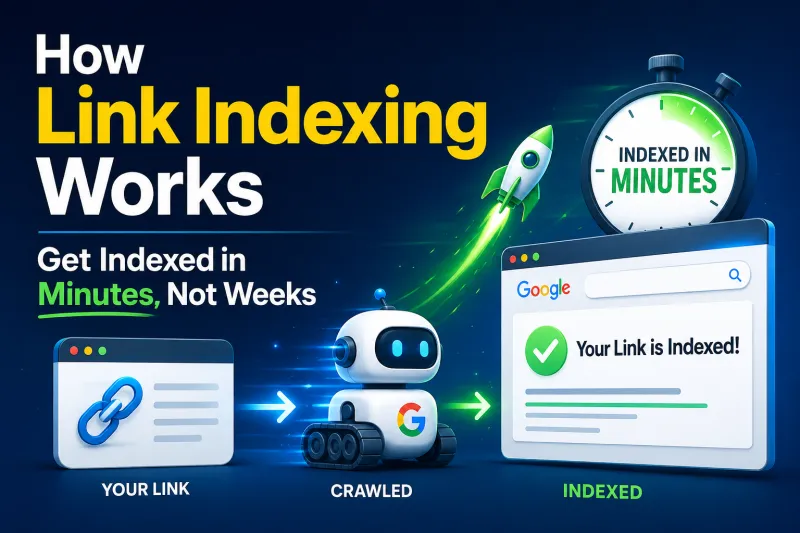
Step 3 — Submit the linking page URL for indexing This is the most direct solution. Go to QuickIndexing.com, enter the URL of the page where your backlink appears, and submit it. QuickIndexing pings Google's API directly — getting the linking page processed and indexed within minutes instead of weeks.
Step 4 — Build internal links to the linking page If you have access to the website (your own guest post, for example), add internal links pointing to the page containing your backlink. This increases its crawl priority.
Step 5 — Monitor GSC weekly After submission, check Google Search Console weekly to confirm the link has been credited.
How to Check Backlinks in Bulk
For large link building campaigns, checking links one by one is not practical. Here is an efficient bulk checking workflow:
Bulk Check Workflow:
- Export your full backlink list from Ahrefs or SEMrush as CSV
- Filter for Dofollow links only
- Filter for DR 30+ linking domains
- For each high-priority link — run the
site:operator check - Flag all unindexed pages
- Submit flagged URLs in bulk via QuickIndexing.com
- Recheck indexing status after 1-5 minutes
This workflow ensures your highest-value backlinks are indexed and credited by Google as quickly as possible — without manually checking hundreds of URLs one by one.
Backlink Indexing Status — Quick Reference
| Scenario | Action Required |
|---|---|
| Backlink in GSC | ✅ All good — Google has credited it |
| Backlink in Ahrefs but not GSC | Submit linking page to indexing tool |
| Linking page not indexed | Fix page quality or force indexing |
| Backlink lost in SEMrush | Contact site owner or find replacement |
| Toxic backlink discovered | Disavow via Google Search Console |
Summary
Every backlink you build is only as valuable as Google's awareness of it. An unindexed backlink is a wasted investment — regardless of the domain authority or effort it took to earn.
Make backlink indexing verification a standard part of your link building process. Check regularly, fix gaps immediately, and use QuickIndexing.com to ensure every high-value link gets into Google's index fast.