Building backlinks from scratch is slow. Studying what already works for your competitors is not.
When a website ranks above you, it is not luck. It is authority — built through backlinks from domains that Google already trusts. Your job is to reverse-engineer that authority, identify the exact sources, and get listed there too.
This guide gives you the complete system — from identifying the right competitors to extracting their full backlink profile, analyzing it properly, and making sure every link you build gets discovered by Google as fast as possible.
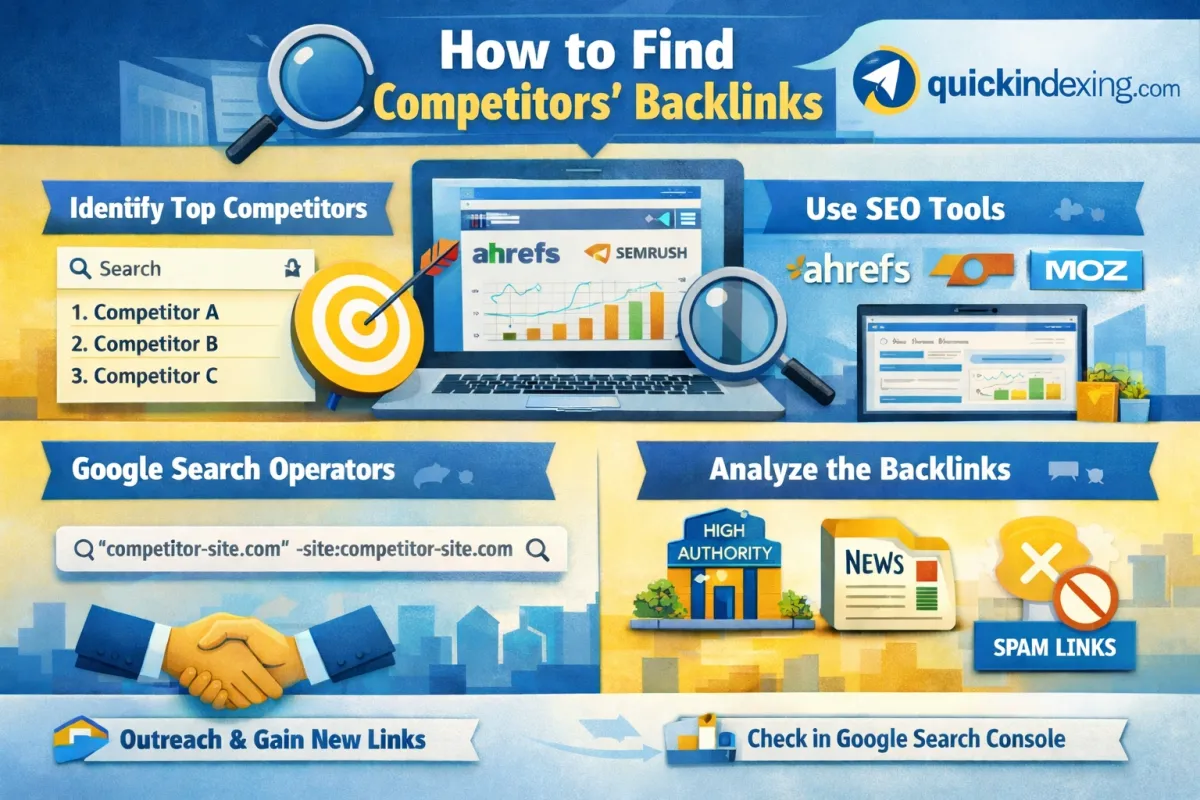
Step 1 — Identify the Right Competitors (Not Just Business Rivals)
Most people make one critical mistake here — they analyze their business competitors instead of their SEO competitors.
Your SEO competitor is whoever ranks on Page 1 for your target keyword — regardless of whether they sell what you sell.
How to find them:
- Search your 3–5 primary keywords in Google (incognito mode)
- Note the top 5 ranking domains for each keyword
- Cross-reference — domains appearing across multiple keywords are your most important targets
Pro Insight: A Wikipedia page or a Forbes article ranking for your keyword is not a useful competitor to analyze. Focus on domains that are similar in size, niche, and purpose to yours. These are the backlink profiles you can realistically replicate.
Step 2 — Extract Their Full Backlink Profile Using SEO Tools
Manual research has limits. Professional tools give you complete data — every domain linking to your competitor, anchor text used, domain authority, traffic value, and spam score.
Tool Comparison at a Glance
|
Feature |
Ahrefs |
SEMrush |
Moz |
|
Backlink Database Size |
Largest (35T+ links) |
Very Large |
Medium |
|
Data Freshness |
Updated every 15–30 min |
Daily updates |
Weekly updates |
|
Best For |
Deep link analysis |
Full competitor research |
Beginners |
|
Spam Score |
No (uses DR instead) |
Yes |
Yes |
|
Free Version |
Limited (via free tools) |
10 searches/day free |
10 queries/month free |
|
Pricing Start |
~$99/month |
~$119/month |
~$99/month |
Ahrefs — Best for Deep Backlink Analysis
Ahrefs has the largest active backlink index in the industry. For serious competitor research, it is the gold standard.
Exact steps:
- Go to Ahrefs Site Explorer
- Enter your competitor's domain (e.g., competitor.com)
- Click Backlinks in the left sidebar
- Apply these filters for quality:
- Link type: Dofollow only
- DR (Domain Rating): 40+
- Traffic: 100+ monthly visitors
What to look for: Pay attention to the Referring Page Title column. This tells you the exact content type that earned the link — blog post, resource page, tool review, comparison article, etc.
SEMrush — Best for Full Competitor Intelligence
SEMrush goes beyond backlinks — it shows you the complete competitive landscape including organic keywords, paid ads, and traffic trends alongside backlink data.
Exact steps:
- Go to Backlink Analytics in SEMrush
- Enter competitor's domain
- Click Referring Domains tab (more useful than raw backlinks)
- Filter by Authority Score: 40+
- Check the Anchor Text tab — this reveals what topics Google associates with your competitor
- Use Backlink Gap tool — enter your domain + 3 competitors to see which domains link to all of them but not to you
The Backlink Gap tool alone is worth the subscription. It gives you a ready-made prospect list of sites already open to linking in your niche.
Moz Link Explorer — Best for Beginners
Moz is the most beginner-friendly option and still provides reliable data for foundational research.
Exact steps:
- Go to Moz Link Explorer
- Enter competitor URL
- Review Linking Domains (not total backlinks — one strong domain matters more than 100 weak ones)
- Check Spam Score — filter out any linking domain with spam score above 30%
- Use Domain Authority (DA) as a quick quality filter — prioritize DA 40+
Important: Moz's database is smaller than Ahrefs or SEMrush. Use it as a quick scan or for cross-referencing, not as your primary research tool.
Step 3 — Manual Backlink Research (No Paid Tool Required)
If you are not ready to invest in a paid tool, manual research can still reveal high-value link opportunities.
Correct Google Search Operators
Find where competitors got mentioned:
"competitor.com" -site:competitor.com
This shows pages that mention the competitor's domain but are not on their own site — revealing guest posts, reviews, and editorial mentions.
Find guest posts your competitor wrote:
site:targetblog.com "guest post" OR "contributed by" "competitor name"
Find resource pages in your niche:
your keyword + inurl:resources
your keyword + "useful links"
your keyword + "recommended tools"
Resource pages are goldmines — they exist specifically to link out to helpful content.
Find review-based links:
"competitor brand name" + review -site:competitor.com
If reviewers wrote about your competitor, they may be open to covering you too.
Note: Google's search operators are useful for discovery but will not show you a complete backlink profile. They surface publicly visible mentions — not the full indexed link graph. For complete data, a dedicated SEO tool is necessary.
Step 4 — Analyze the Backlinks Properly
Collecting backlinks is only useful if you analyze them correctly. A list of 10,000 backlinks means nothing if 9,000 of them are spam.
What to Prioritize
High-authority editorial links Links from real blogs, news sites, and industry publications that editorially chose to link. These carry the most weight.
Niche-relevant domains A DA 40 link from a website in your exact industry is more valuable than a DA 70 link from an unrelated site.
Anchor text patterns Look at what anchor text your competitors are getting. This reveals how Google categorizes them topically — and what anchor strategy you should follow.
Traffic-verified domains A domain with zero organic traffic — even with high DA — may be a link farm. Always check traffic alongside authority.
What to Avoid
|
Red Flag |
Why It Matters |
|
Spam score 30%+ |
Google likely ignores or penalizes these |
|
Zero organic traffic on referring domain |
Signals a dead or manipulative site |
|
Same anchor text repeated excessively |
Unnatural pattern — algorithmic red flag |
|
Links from irrelevant niches |
Low topical relevance = low SEO value |
|
Private Blog Networks (PBNs) |
High risk, declining effectiveness |
Step 5 — Verify What Google Has Actually Credited
Building backlinks is one thing. Confirming Google has discovered and credited them is another. Many links go unnoticed for weeks simply because Google's crawlers have not visited those pages yet.
Using Google Search Console (GSC):
- Log in to GSC and select your property
- In the left menu, scroll to Links
- Under External Links, click Top Linking Sites
- For individual URL verification, use URL Inspection Tool → enter the page URL → check indexing status
GSC shows exactly what Google's algorithm has registered — not estimates, not projections. This is ground truth.
Important limitation: GSC only shows links to your own domain. For competitor backlink verification, you need a third-party tool.
Step 6 — The Part Most SEOs Get Wrong (Speed of Discovery)
Here is a scenario that plays out constantly in competitive niches:
You earn a high-quality backlink from a DA 60 website. Your competitor earns the same quality link one week later. But their link gets discovered and credited by Google first — because their page got indexed faster.
In SEO, the link that gets indexed first wins.
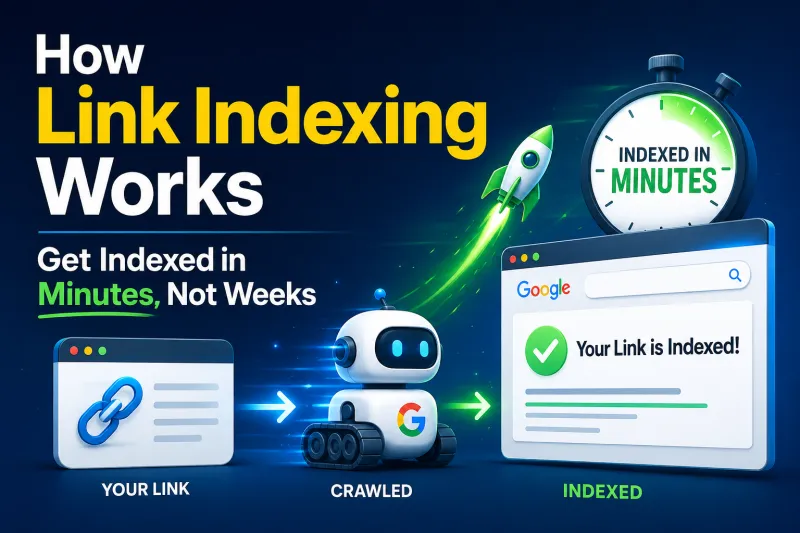
Google's crawlers visit most pages on their own schedule — which can take days or even weeks. For backlinks pointing to your site, this delay directly impacts how quickly that link equity flows to your rankings.
When you build or earn a new backlink, submit that linking page's URL to indexing tool. Instead of waiting for Googlebot to organically discover the page, QuickIndexing pings Google's API directly — getting the page processed within minutes.
Practical workflow:
- Secure a backlink on an external website
- Copy the URL of the page where your link appears
- Submit it to Quick Indexing
- Google discovers the page and credits your backlink — in minutes, not weeks
This single habit — indexing every backlink source immediately — gives your link building campaigns compounding speed advantages over competitors who are still relying on organic crawling.
Complete Workflow Summary
|
Step |
Action |
Tool |
|
1 |
Identify SEO competitors by keyword |
Google Search (incognito) |
|
2 |
Extract full backlink profile |
Ahrefs / SEMrush / Moz |
|
3 |
Find additional opportunities manually |
Google search operators |
|
4 |
Analyze for quality — filter spam |
Ahrefs / Moz spam score |
|
5 |
Replicate high-value link sources |
Outreach / Guest posts / PR |
|
6 |
Verify Google has credited your links |
Google Search Console |
|
7 |
Speed up backlink discovery |
QuickIndexing.com |
Summary
Competitor backlink research is not about copying — it is about understanding what Google already rewards in your niche and building a smarter, more targeted link acquisition strategy.
The process is straightforward: find who ranks, study why they rank, identify the exact sources of their authority, and systematically build your presence on those same platforms.
But research and outreach alone are not enough. Every backlink you earn needs to be discovered by Google quickly to deliver value.Instant Indexing ensures that no hard-earned link sits unnoticed in Google's crawl queue. Submit the linking page, get it indexed in minutes, and let the link equity flow immediately.
In competitive SEO, execution speed is the difference between ranking and watching others rank.